Double-entry accounting basics: debit, credit and the golden rules
Every accounting package used in India, from TallyPrime to TallyBook, is built on one idea that is more than five hundred years old: double entry. Once you understand it, ledgers, vouchers, the Trial Balance and the Balance Sheet all start to make sense. This guide explains it in plain words, with worked examples you can type into TallyBook.
The idea in one line
Every transaction has two sides. When you pay ₹8,000 rent from your bank, the rent account goes up and your bank balance goes down by the same ₹8,000. Accounting records both sides: one account is debited (Dr) and the other is credited (Cr). Because both sides are always equal, the books as a whole always balance.
Debit and credit are sides, not good or bad
Many people think “credit” means money coming in. In accounting it simply means the right-hand side of an account. What a debit or credit does depends on the type of account:
| Type of account | A debit… | A credit… | Examples in TallyBook |
|---|---|---|---|
| Assets | increases it | decreases it | Cash, bank, debtors, stock, machinery |
| Expenses | increases it | decreases it | Purchases, rent, salary, electricity |
| Liabilities | decreases it | increases it | Creditors, loans, GST payable |
| Capital | decreases it | increases it | Owner's capital, reserves |
| Income | decreases it | increases it | Sales, commission received, interest received |
The three golden rules
Indian commerce textbooks teach the traditional golden rules. They classify accounts into three kinds and give one rule for each:
| Kind of account | What it covers | Rule |
|---|---|---|
| Personal | People and organisations: customers, suppliers, banks, the owner | Debit the receiver, credit the giver |
| Real | Things you own: cash, stock, furniture, buildings | Debit what comes in, credit what goes out |
| Nominal | Expenses, losses, incomes and gains | Debit all expenses and losses, credit all incomes and gains |
The table in the previous section (the “modern” approach) and the golden rules always give the same answer. Use whichever you find easier.
Five worked examples
Take a new shop, Mehta Stores. GST is left out here to keep the numbers simple; a GST invoice just adds tax ledgers to the same idea.
| # | Transaction | Debit | Credit | Why |
|---|---|---|---|---|
| 1 | Owner brings ₹1,00,000 cash into the business | Cash ₹1,00,000 | Capital ₹1,00,000 | Cash comes in (real); the owner is the giver (personal) |
| 2 | Buys goods on credit from Sharma Traders, ₹40,000 | Purchase ₹40,000 | Sharma Traders ₹40,000 | Purchase is an expense; Sharma Traders is the giver |
| 3 | Sells goods for cash, ₹25,000 | Cash ₹25,000 | Sales ₹25,000 | Cash comes in; sales is income |
| 4 | Pays shop rent by bank, ₹8,000 | Rent ₹8,000 | Bank ₹8,000 | Rent is an expense; money goes out of the bank |
| 5 | Pays Sharma Traders by bank, ₹40,000 | Sharma Traders ₹40,000 | Bank ₹40,000 | Sharma Traders receives the money |
Add up every debit (₹2,13,000) and every credit (₹2,13,000): they match. That equality is exactly what the Trial Balance checks for the whole year.
How TallyBook keeps every voucher balanced
In TallyBook you never write a debit or credit on its own. You record a voucher, and every voucher carries both sides. The checks are built into the core of the program, so they apply whether you type an entry, import one from Excel or bring it in from Tally XML:
- Total debit must equal total credit. If they differ, TallyBook shows the message “Total debit must equal total credit” and does not save.
- At least two ledger entries. A voucher with only one ledger is refused.
- No zero amounts. Each line must carry an amount, stored in whole paise, so rounding cannot leave stray differences.
- The date must fall inside your books period.
- Contra vouchers accept only cash and bank ledgers.
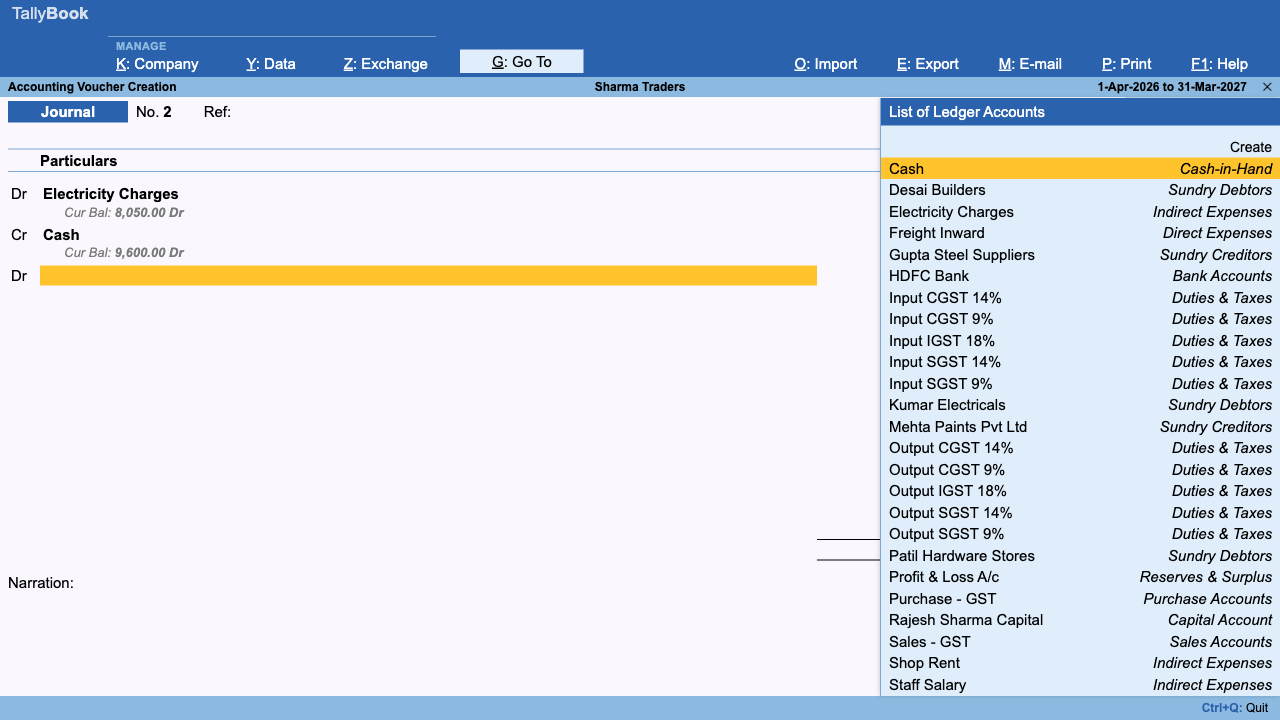
On the Journal screen (F7) each line has a Dr or Cr side (type D or C), and a red “Difference” line under the entry shows how much is still unbalanced as you type. Payment (F5), Receipt (F6) and Contra (F4) use a simpler layout: you choose the cash or bank Account at the top and list the other ledgers below, and TallyBook fills in the other side for you.
Try example 4 yourself
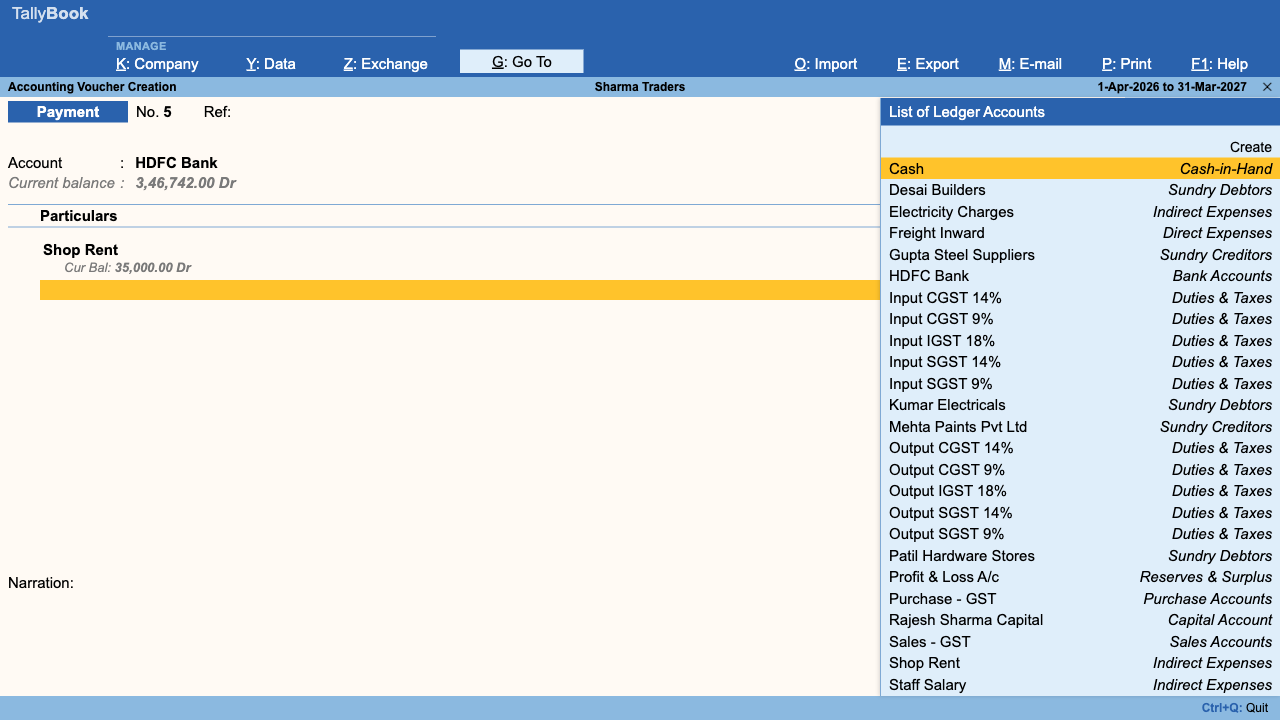
- From the Gateway of Tally, press F5 to open a Payment voucher.
- In Account, choose your bank ledger. This is the credit side.
- Under Particulars, choose the Rent ledger. If it does not exist, press Alt+C in the list to create it under Indirect Expenses.
- Type 8,000 as the amount and add a narration such as “Shop rent for October”.
- Press Ctrl+A to accept. Rent is debited and the bank is credited with ₹8,000 each.
Next, read which voucher type to use for each transaction and how groups and ledgers are organised. If you are coming from TallyPrime, the keyboard shortcuts guide shows that the keys are the same.
Frequently asked questions
Is debit always good and credit always bad?
No. Debit and credit are only the two sides of an account. A debit increases assets and expenses; a credit increases liabilities, capital and income. A credit to your Sales account is good news.
Can a voucher have more than two ledgers?
Yes. A single voucher can debit one ledger and credit three, or any mix, as long as the debit total equals the credit total. A sales invoice with GST is a common example.
What happens if my entry does not balance in TallyBook?
The Journal screen shows the difference in red while you type. If you still try to accept, TallyBook shows the message “Total debit must equal total credit” and does not save the voucher.
Do I need to learn the golden rules if the software does the posting?
For invoices and simple payments the software picks the sides for you. For journals, adjustments and year-end entries you still decide the sides, so the rules are worth knowing.
TallyBook is not affiliated with Tally Solutions Pvt. Ltd. TallyPrime is a trademark of its owner.