TallyBook keyboard shortcuts: the complete cheat sheet
TallyBook is built for people who keep their hands on the keyboard. If you have used TallyPrime, most keys will feel familiar. This page lists every shortcut that works in the current release, checked against the app itself. Print it, or keep it open in a browser tab while you learn.
Everywhere
| Key | What it does |
|---|---|
| Enter | Accept a field, open the selected item |
| Esc | Go back one screen |
| Ctrl+A | Accept (save) the form or voucher |
| Alt+G | Go To: jump to any report or ledger by typing |
| Alt+K | Company menu: alter company, security, users |
| Alt+Y | Data menu: backup, restore, edit log |
| F3 | Change company |
| Alt+F3 | Company Info: select, shut, create, alter a company, change TallyVault |
| Ctrl+F3 | Shut the current company |
| Alt+O | Import (Tally XML, Excel, CSV) |
| Alt+E | Export masters or vouchers as Tally XML |
| F11 | Company features (GST, inventory, payroll, TDS…) |
| F1 | Help and shortcut list; then Alt+U checks for updates |
| Ctrl+Q | Quit |
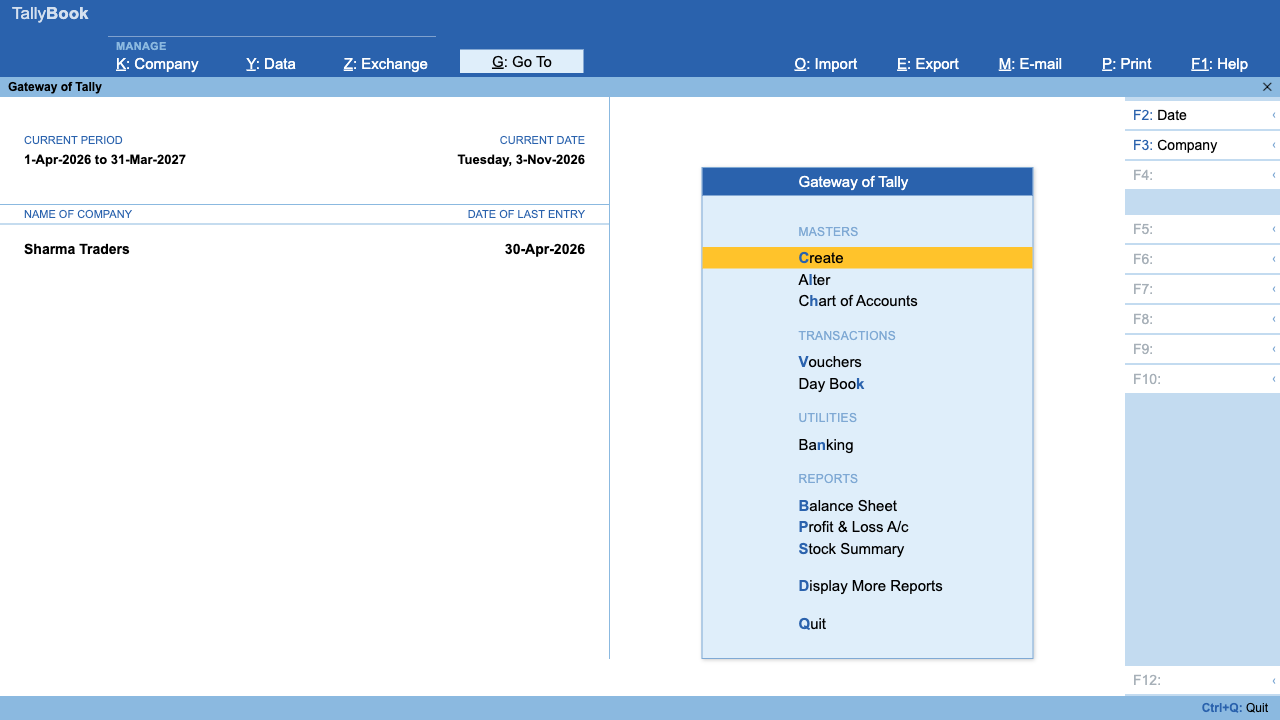
Gateway letters
On the Gateway (home) menu, press the underlined letter:
| Letter | Opens |
|---|---|
| C | Create masters |
| L | Alter masters |
| H | Chart of Accounts |
| V | Vouchers |
| K | Day Book |
| N | Banking |
| B | Balance Sheet |
| P | Profit & Loss A/c |
| S | Stock Summary (inventory on) |
| D | Display More Reports |
| Q | Quit |
Voucher keys
| Key | Voucher |
|---|---|
| F4 | Contra |
| F5 | Payment |
| F6 | Receipt |
| F7 | Journal |
| F8 | Sales |
| F9 | Purchase |
| Alt+F5 | Debit Note |
| Alt+F6 | Credit Note |
| Ctrl+F4 | Payroll (payroll on) |
Pressing a voucher key while you are already in a voucher switches to that voucher type.
Inventory vouchers (inventory on in F11)
| Key | Voucher |
|---|---|
| Alt+F7 | Stock Journal |
| Ctrl+F7 | Physical Stock |
| Alt+F8 | Delivery Note |
| Ctrl+F8 | Sales Order |
| Alt+F9 | Receipt Note |
| Ctrl+F9 | Purchase Order |
| Ctrl+F6 | Rejection In |
| Ctrl+F5 | Rejection Out |
Inside a voucher
| Key | What it does |
|---|---|
| F2 | Change the voucher date |
| D / C | Set a Journal line to Dr or Cr |
| Alt+C | Create a new ledger from the ledger list |
| Alt+R | Remove a line |
| Ctrl+H | Switch between invoice view and voucher view (GST sales and purchase) |
| Ctrl+T | Mark a Payment, Receipt or Contra as post-dated |
| Alt+2 | Duplicate the voucher (when altering) |
| Alt+X | Cancel the voucher (when altering) |
| Alt+D | Delete the voucher (when altering) |
| Ctrl+F | Autofill employees in a payroll voucher |
| Ctrl+A | Save the voucher |
In reports
| Key | What it does |
|---|---|
| Enter | Drill down |
| Alt+F2 or F2 | Change the period |
| F12 | Configure what the report shows |
| Ctrl+F | Filter the rows |
| Alt+F1 | Detailed or condensed view (Trial Balance) |
| Alt+E | Export the report (CSV or JSON where offered) |
| Ctrl+E | Save the table on screen as a CSV file |
| Alt+A | Add a voucher from the Day Book |
Print and share
| Key | What it does |
|---|---|
| Ctrl+P | Print the current report or voucher |
| Alt+P | Print menu (including printer settings and Save as PDF) |
| Ctrl+M | E-mail the current report or voucher |
| Alt+M | E-mail menu |
| Ctrl+Alt+W | Share the current document on WhatsApp |
Notes for Mac users
- Cmd works wherever this page says Ctrl, and Option works as Alt.
- On most Mac keyboards the top row controls brightness and volume. Hold fn with F4–F12, or turn on Use F1, F2, etc. keys as standard function keys in System Settings → Keyboard.
Frequently asked questions
Are TallyBook shortcuts the same as TallyPrime?
The everyday ones are: F4 to F9 for vouchers, Alt+F5 and Alt+F6 for notes, Alt+G Go To, Ctrl+A accept and Esc back. Some advanced TallyPrime keys are not in TallyBook yet.
Where can I see the shortcuts inside the app?
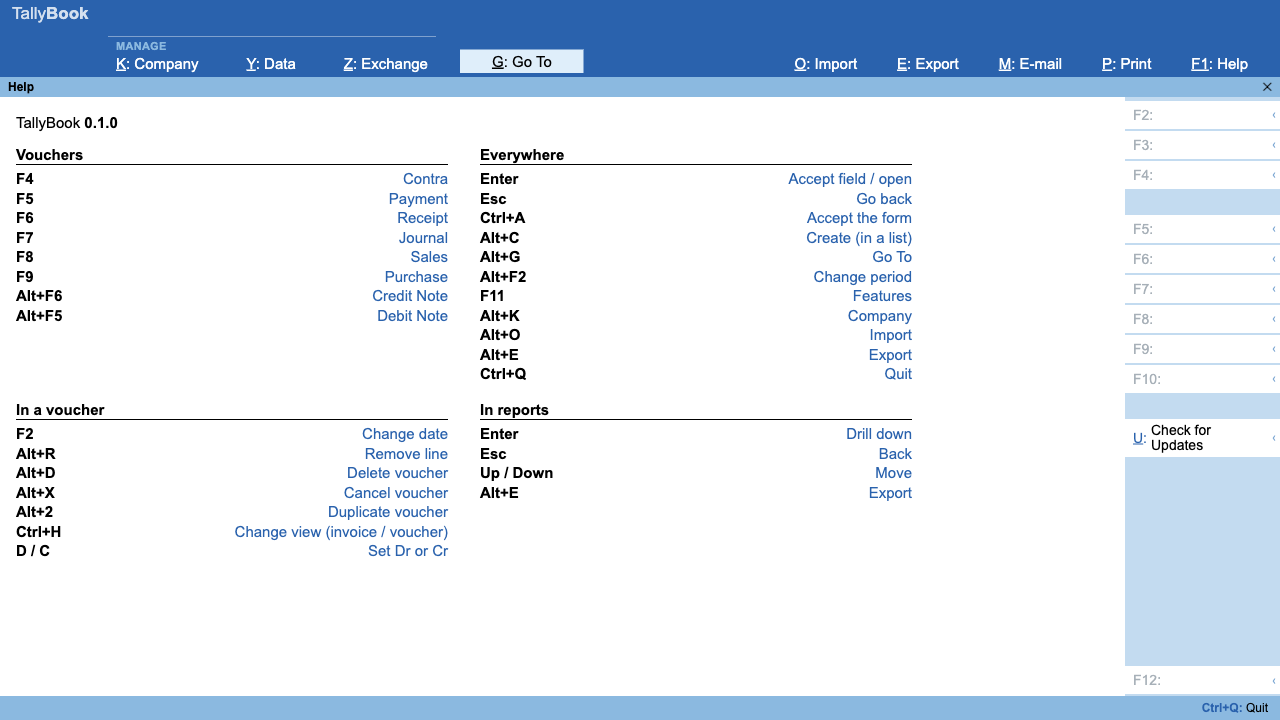
Press F1 on any screen. The right-hand panel of each screen also shows the keys that work there.
Can I change a shortcut?
Not in the current version. Shortcuts are fixed.
Why does F5 change my Mac's brightness instead of opening a Payment?
Mac keyboards use the top row for media keys. Hold fn, or set the function keys to standard behaviour in System Settings → Keyboard.
Related: Create a GST invoice · Tally on Mac
TallyBook is an independent product made by Techardent Labs and is not affiliated with, endorsed by or connected to Tally Solutions Pvt. Ltd. TallyPrime and Tally are trademarks of their owner. Tax rules change often; confirm current rates, limits and due dates on the official portals or with your Chartered Accountant.