Interest calculation on outstanding bills in TallyBook
Many traders and distributors charge interest when customers pay late, and many suppliers charge it to you. Working it out by hand for every bill is tedious and easy to get wrong. TallyBook can calculate interest on a ledger's running balance or bill by bill, with the same parameters TallyPrime users know.
How interest is calculated
The idea is simple: amount × rate × days ÷ days in the year. If Ravi Enterprises owes ₹1,00,000 for 45 days at an example rate of 12% a year:
1,00,000 × 12% × 45 ÷ 365 = ₹1,479.45
When the balance changes, for example after a part payment, the calculation splits into periods and adds them up. That is exactly what the Ledger Interest Calculation report shows.
Step 1: activate interest on the ledger
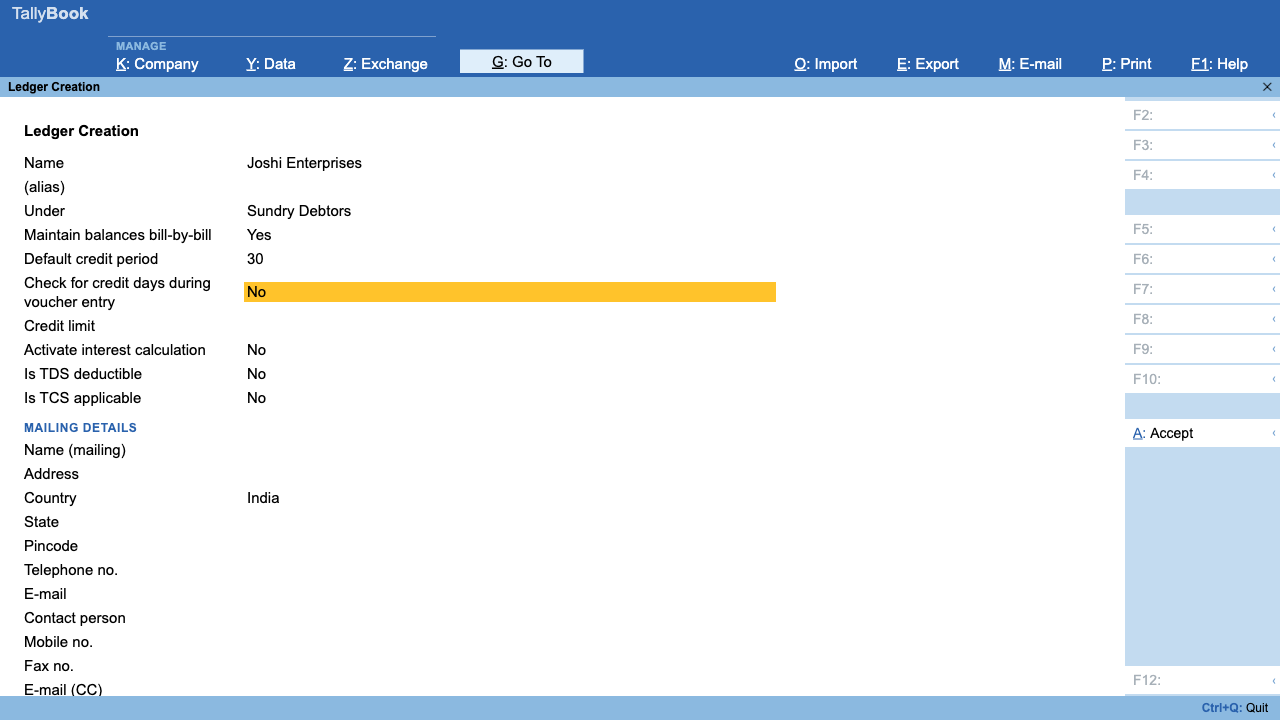
- Go to Gateway of Tally › Alter › Ledger and open the customer or supplier (a ledger under Sundry Debtors or Sundry Creditors).
- Set Activate interest calculation to Yes and accept with Ctrl+A.
- Open the same ledger again in Alter. A new button, F6: Interest Parameters, now appears on the right. Press F6.
- Enter the parameters described below and press Ctrl+A. You see “Interest Parameters saved”.
Step 2: choose the parameters
| Field | Choices and meaning |
|---|---|
| Calculate Interest Transaction-by-Transaction | Shown for bill-by-bill ledgers. Yes calculates on each bill separately; No calculates on the running ledger balance. |
| Override Parameters for each Transaction | Shown when the previous field is Yes; allows different terms per bill. |
| Include transaction date: for amounts added / deducted | Whether the day of the invoice or payment itself counts as a day of interest. |
| Rate (%) | The interest rate you agreed with the party. |
| Interest Style | Calendar Year (yearly rate, 366 days in a leap year), 365-day Year (yearly rate, always 365 days) or Calendar Month (monthly rate). |
| Interest Balances | All Balances, Debit Balances Only (customers who owe you) or Credit Balances Only (what you owe a supplier). |
Advanced parameters (F12)
Press F12 inside Interest Parameters to switch to advanced mode. You then enter one or more slabs, each with its own rate, style and balances, plus:
- Applicability: Always, or Past Due Date with a number of Days, which gives a grace period.
- Calculate From: Due Date of Invoice/Ref, or Date of Invoice/Ref.
- Rounding: Not Applicable, Normal, Upward or Downward.
Step 3: read the interest reports
Both reports are in Gateway › Display More Reports › Statements of Accounts › Interest Calculations.
Ledger Interest Calculation
The list shows only ledgers with interest parameters saved. Pick one to see each period of the balance with its From and To dates, Total Days, Rate % and Interest, and a total at the bottom.
- Ctrl+H (Change View) switches to the bill-wise view: date, reference, pending amount, due date, days, rate and interest for each bill.
- In the bill-wise view, Alt+F5 shows the detailed split of each bill into periods.
- Alt+F2 changes the period; Ctrl+F filters the rows.
Group Interest Calculation
Choose a group, such as Sundry Debtors, to see every ledger's closing balance and interest in one place, with a grand total. Press Enter on a ledger to open its Ledger Interest Calculation, or on a sub-group to go one level down. F12 can hide ledgers with no interest.
Step 4: charge the interest
TallyBook calculates interest; it does not post it for you. When you decide to charge a customer, record a voucher for the amount shown, usually a Debit Note or a Journal (Dr customer, Cr Interest Received under Indirect Incomes); see voucher types. Confirm the tax treatment with your CA first.
Tips
- Put your interest terms on your invoices so customers are not surprised.
- Check the bill-wise view before sending a demand: a receipt left On Account still counts as unpaid in bill-wise interest.
- Export the report with Ctrl+E to share the working with the party. See printing and sharing reports.
Frequently asked questions
Does TallyBook post the interest entry automatically?
No. The interest reports calculate the amount. To charge it, record a voucher yourself, usually a Debit Note or Journal to the party, as your CA advises.
What is the difference between Calendar Year and 365-day Year?
Both treat the rate as yearly. Calendar Year divides by 366 days in a leap year and 365 otherwise; 365-day Year always divides by 365. Calendar Month treats the rate as a monthly rate.
How do I give customers 30 days before interest starts?
Use the advanced parameters (F12 in the Interest Parameters screen), set Applicability to Past Due Date and Days to 30. Interest then starts 30 days after the due date, or after the bill date when a bill has no due date.
Is GST payable on interest charged for late payment?
That depends on the facts and current rules. Confirm with your CA or on gst.gov.in before you raise the interest entry.
TallyBook is not affiliated with Tally Solutions Pvt. Ltd. TallyPrime is a trademark of its owner.