Tally on Mac in 2026: your options and a native alternative
Plenty of accountants, consultants and business owners in India now work on MacBooks. The usual problem: Tally's own documentation lists 64-bit Windows as the supported system for installing TallyPrime, so there is no Mac installer. Here are the realistic options.
Option 1: Windows in a virtual machine
Virtualisation software runs a full copy of Windows in a window on your Mac, and TallyPrime is installed inside it. You need a Windows licence and enough memory and disk for two operating systems. On Apple-chip Macs, the virtual machine runs the ARM edition of Windows, so check Tally's current guidance before you rely on this setup.
Option 2: Tally's cloud access
Tally offers ways to use TallyPrime remotely, where the software runs on a Windows server and you connect from your Mac. It works from anywhere with internet, but it depends on a steady connection and is a paid service on top of the licence.
Option 3: Remote desktop to a Windows PC
If the office already has a Windows PC with TallyPrime, you can connect to it from your Mac with remote desktop software. Simple, but that PC must stay on and reachable.
Option 4: a native Mac app
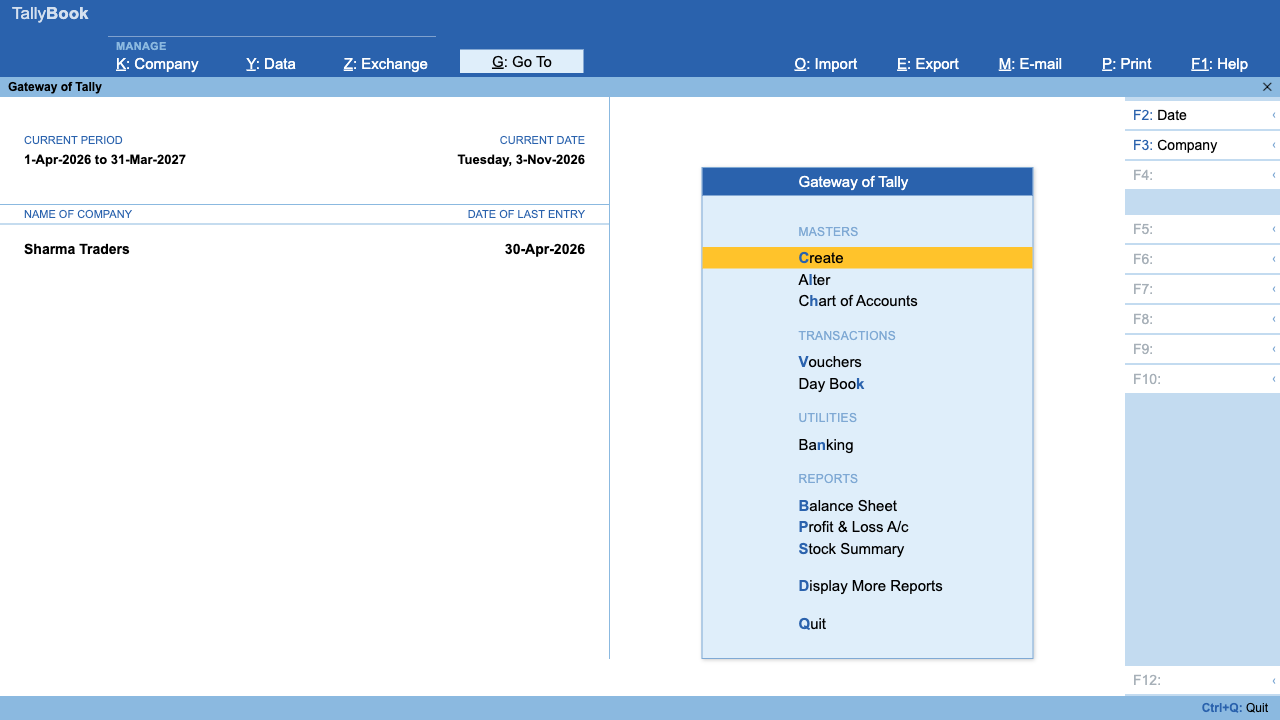
TallyBook is a free desktop accounting app for Indian businesses that keeps the Tally way of working: the Gateway menu, F4–F9 vouchers, Ctrl+A to accept, GST invoices and reports. It installs on macOS 11 Big Sur or newer and runs natively on Apple chips (M1 to M4) and Intel Macs. No virtual machine, no Windows licence, and the data stays on your Mac.
| Virtual machine | Cloud access | TallyBook on Mac | |
|---|---|---|---|
| Needs Windows licence | Yes | No | No |
| Works offline | Yes | No | Yes |
| Software cost | TallyPrime licence (Silver ₹22,500 + GST) plus yearly TSS for updates | TallyPrime licence plus the cloud service | Free |
| Several users at once | With TallyPrime Gold | Yes | No, single user |
Install TallyBook on a Mac
- Download the Mac disk image (.dmg). One file works on Apple-chip and Intel Macs.
- Open it and drag TallyBook onto Applications.
- Open TallyBook from Applications. The first time, macOS shows "TallyBook" Not Opened because the app is not yet notarised by Apple. Click Done.
- Open System Settings → Privacy & Security, scroll to Security and click Open Anyway next to TallyBook, then enter your Mac password and click Open. This is needed only once.
Keyboard tips for Mac
- Cmd works as Ctrl and Option as Alt, so Cmd+A accepts and Option+G opens Go To.
- Hold fn for function keys, or turn on Use F1, F2, etc. keys as standard function keys in System Settings → Keyboard.
Bring your data from a Windows PC
On the Windows PC, export masters and vouchers from Tally as XML. Copy the files to the Mac (pen drive, AirDrop from another device, or a cloud folder), then import them with Alt+O. The switching guide has every step.
Frequently asked questions
Can I install TallyPrime on a Mac?
Not directly. Tally's documentation lists 64-bit Windows for installation, so Mac users use a Windows virtual machine, Tally's cloud access or remote desktop.
Does TallyBook run on Apple M1, M2, M3 and M4 Macs?
Yes, natively. It also runs on Intel Macs with macOS 11 Big Sur or newer.
Can I open my Tally data on a Mac with TallyBook?
Yes. Export XML from Tally on a Windows PC and import it into TallyBook on the Mac with Alt+O.
Why does my Mac say TallyBook cannot be opened?
The app is not yet notarised. Right-click it in Applications and choose Open, or use System Settings → Privacy & Security → Open Anyway.
Related: Keyboard shortcuts · Backup and data safety
TallyBook is an independent product made by Techardent Labs and is not affiliated with, endorsed by or connected to Tally Solutions Pvt. Ltd. TallyPrime and Tally are trademarks of their owner. Tax rules change often; confirm current rates, limits and due dates on the official portals or with your Chartered Accountant.