Manufacturing in TallyBook: bill of materials and the Manufacturing Journal
If you turn raw material into something you sell, such as furniture from wood, sweets from sugar and milk, or kits from loose parts, your stock records need to show both sides: components going out and finished goods coming in, at a sensible cost. Since version 0.2.0 TallyBook does this with a bill of materials on the stock item and a Manufacturing Journal.
Words you will see
| Term | Meaning | Example (wooden chair) |
|---|---|---|
| Bill of materials (BOM) | The recipe: what goes into one batch of the finished item | 1 chair = 4 legs, 1 seat, 1 backrest, 0.1 litre polish |
| Components | Items consumed | Legs, seat, backrest, polish |
| Co-product | A second main item made in the same process | A matching stool cut from the same timber |
| By-product | A minor item with some value | Wood shavings sold as fuel |
| Scrap | Waste, sometimes with a small resale value | Off-cuts |
| Additional costs | Costs other than materials that belong in the product's cost | Carpenter's wages, power |
1. Set up the items
- Press F11 and make sure Maintain inventory is Yes.
- Create a stock item for every component and for the finished item, each with its unit (Nos, Kg, Ltr). Give components their opening stock and rate if you already hold them.
- Open the finished item (Alter → Stock Item) and use Set/Alter Components to enter its bill of materials: each component with the quantity used for one unit, or one batch, of the finished item.
Keep units consistent. If polish is bought in litres, enter 0.1 Ltr per chair, not "100 ml".
2. Plan before you make
Three reports read the bill of materials:
- Cost Estimation: what the finished item should cost to make from its components, so you can check your selling price.
- Material Requirement: how much of each component a planned quantity needs, so you know what to buy.
- Job Costing: what production actually cost, once you have recorded it.
Find them with Alt+G (Go To) by typing the report name.
3. Record production: the Manufacturing Journal
- Open a Stock Journal (Alt+F7) and press Ctrl+H (Change Mode) to switch to the Manufacturing Journal.
- Enter the finished item and the quantity made, then the components consumed. Use the bill of materials as your check, and enter what was actually used.
- Add co-products, by-products and scrap if the process produced them.
- Add the additional costs, such as wages or power, that should be part of the product's cost.
- Accept with Ctrl+A.
Example: you make 10 chairs. The journal takes out 40 legs, 10 seats, 10 backrests and 1 litre of polish, brings in 10 chairs, and values them at the cost of those components plus the additional costs you entered. Like every inventory voucher, it changes stock quantities and values; record the actual payment of wages or power with your usual Payment voucher.
4. Check the result
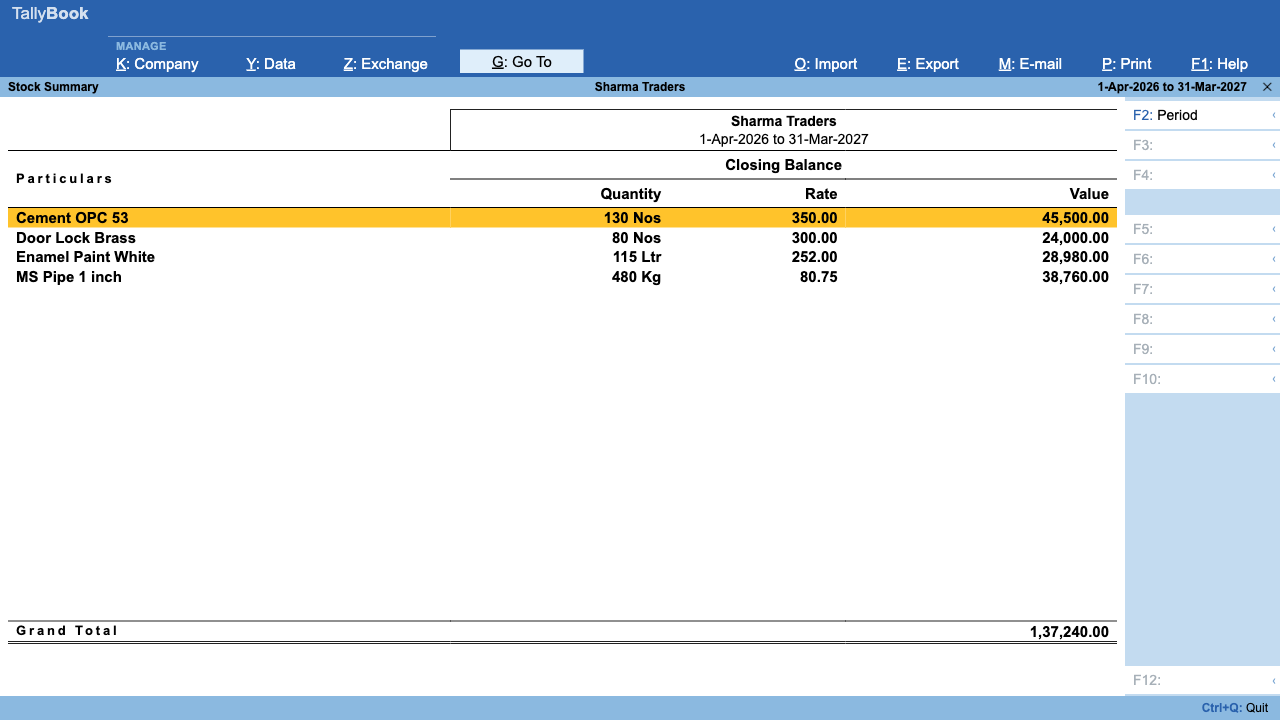
- Stock Summary (S on the Gateway): component quantities fall and the finished item rises.
- Job Costing: compare the actual cost with the Cost Estimation. A big gap usually means wastage, a changed purchase price or a wrong quantity in the bill of materials.
Simple conversions without a BOM
For one-off repacking, such as 50 kg of loose sugar into 50 one-kilo packets, a plain Stock Journal (Out and In lines) is enough. See Stock Journal and other inventory vouchers.
Limits today
- Job work (sending material to a job worker or processing material for a customer, with Material In and Material Out) is not available yet. It is planned for the next update.
- Batches and alternate units cannot be used on manufacturing lines yet. If you track components by batch, record batch movements separately for now.
How the cost of stock is valued afterwards is covered in FIFO, LIFO and average costing.
Frequently asked questions
Why set a bill of materials?
It is the recipe for the finished item. Cost Estimation and Material Requirement read it, and it is your check when you enter components in the Manufacturing Journal. Set it on the finished stock item with Set/Alter Components.
What if a production run used more or less material than the recipe?
Enter the quantities actually used on the component lines of the Manufacturing Journal. Comparing Job Costing with Cost Estimation then shows the difference.
Where do labour and power costs go?
Enter them as additional costs in the Manufacturing Journal so they are part of the finished item cost. Record the actual payment with your usual Payment voucher.
Does TallyBook support job work?
Not yet. Job work orders and Material In and Out are planned for the next update.
Can I use batches on manufacturing lines?
Not yet. Batches and alternate units are not available on Manufacturing Journal lines.
Related: Inventory vouchers · Stock costing methods
TallyBook is an independent product made by Techardent Labs and is not affiliated with, endorsed by or connected to Tally Solutions Pvt. Ltd. TallyPrime and Tally are trademarks of their owner. Tax rules change often; confirm current rates, limits and due dates on the official portals or with your Chartered Accountant.