FIFO, LIFO and average cost: inventory costing explained with an example
When you buy the same item at different prices, a question appears the moment you sell some: which price did the sold units cost? The answer changes your gross profit and the value of closing stock in the Balance Sheet. That rule is the costing method.
The methods in TallyBook
| Method | Cost of goods sold uses | Closing stock is valued at |
|---|---|---|
| Avg Cost (default) | The running weighted average at the time of sale | The remaining average |
| FIFO | Oldest units first | The most recent purchases |
| LIFO | Newest units first | The oldest purchases |
| Last Purchase Cost | The latest purchase rate at the time of sale | Quantity × latest purchase rate |
| Std Cost | The Standard cost you enter on the item | Quantity × standard cost |
A worked example
One item, "Notebook", in April:
| Date | Entry | Quantity | Rate | Value |
|---|---|---|---|---|
| 1 Apr | Opening stock | 100 | ₹10 | ₹1,000 |
| 5 Apr | Purchase | 100 | ₹12 | ₹1,200 |
| 10 Apr | Sale | 150 | ||
| 15 Apr | Purchase | 100 | ₹13 | ₹1,300 |
| 30 Apr | Closing stock | 150 | ? |
Total cost of goods available is ₹3,500. Here is how each method splits it on 10 April, when 200 units are in stock:
- FIFO: the 150 sold come from the oldest layers: 100 × ₹10 + 50 × ₹12 = ₹1,600. Left: 50 × ₹12 + 100 × ₹13 = ₹1,900.
- LIFO: the newest layer goes first: 100 × ₹12 + 50 × ₹10 = ₹1,700. Left: 50 × ₹10 + 100 × ₹13 = ₹1,800.
- Avg Cost: average on the sale date is ₹2,200 ÷ 200 = ₹11, so 150 × ₹11 = ₹1,650. Left: 50 × ₹11 + ₹1,300 = ₹1,850.
- Last Purchase Cost: the latest rate on the sale date is ₹12, so 150 × ₹12 = ₹1,800. Closing: 150 × ₹13 = ₹1,950.
- Std Cost at, say, ₹11.50: sale 150 × ₹11.50 = ₹1,725; closing also ₹1,725.
FIFO, LIFO and average cost always add back to ₹3,500 (sold + closing). Last purchase and standard cost are valuation shortcuts, so their two figures do not add back to the actual cost. In a period of rising prices, FIFO shows the highest closing stock and the highest profit, LIFO the lowest.
Which one should you use?
For financial statements, the Indian accounting standard on inventories (AS 2, and Ind AS 2 for companies that follow Ind AS) allows FIFO or weighted average cost; LIFO is not accepted there. Many small traders use average cost because it smooths price swings. Treat LIFO, last purchase and standard cost as analysis or internal costing tools, and confirm the method for your books with your CA.
How to set it in TallyBook
- Press F11 and set Maintain inventory to Yes.
- Gateway → Create → Stock Item (or Alter → Stock Item).
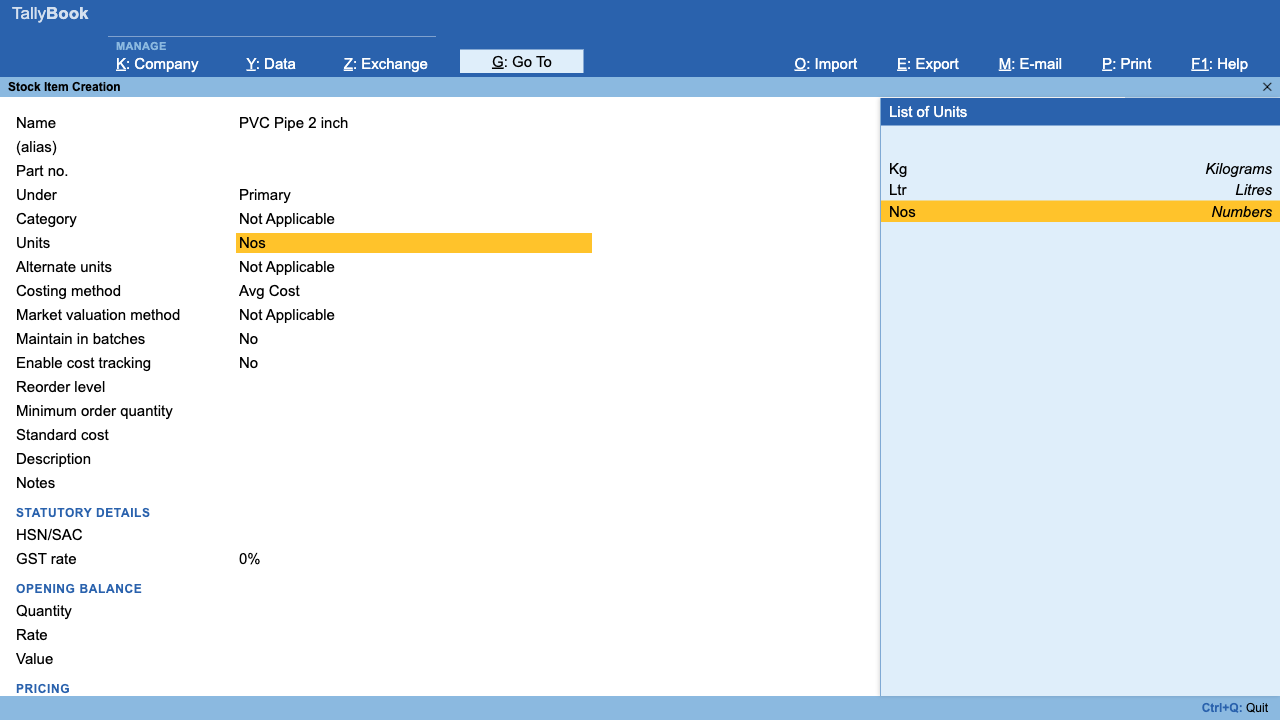
- Fill Name, Under (stock group), Units and, with GST on, HSN/SAC and GST rate.
- In Costing method choose Avg Cost, FIFO, LIFO, Last Purchase Cost or Std Cost. For Std Cost, also fill Standard cost.
- Enter the opening Quantity, Rate and Value, then press Ctrl+A.
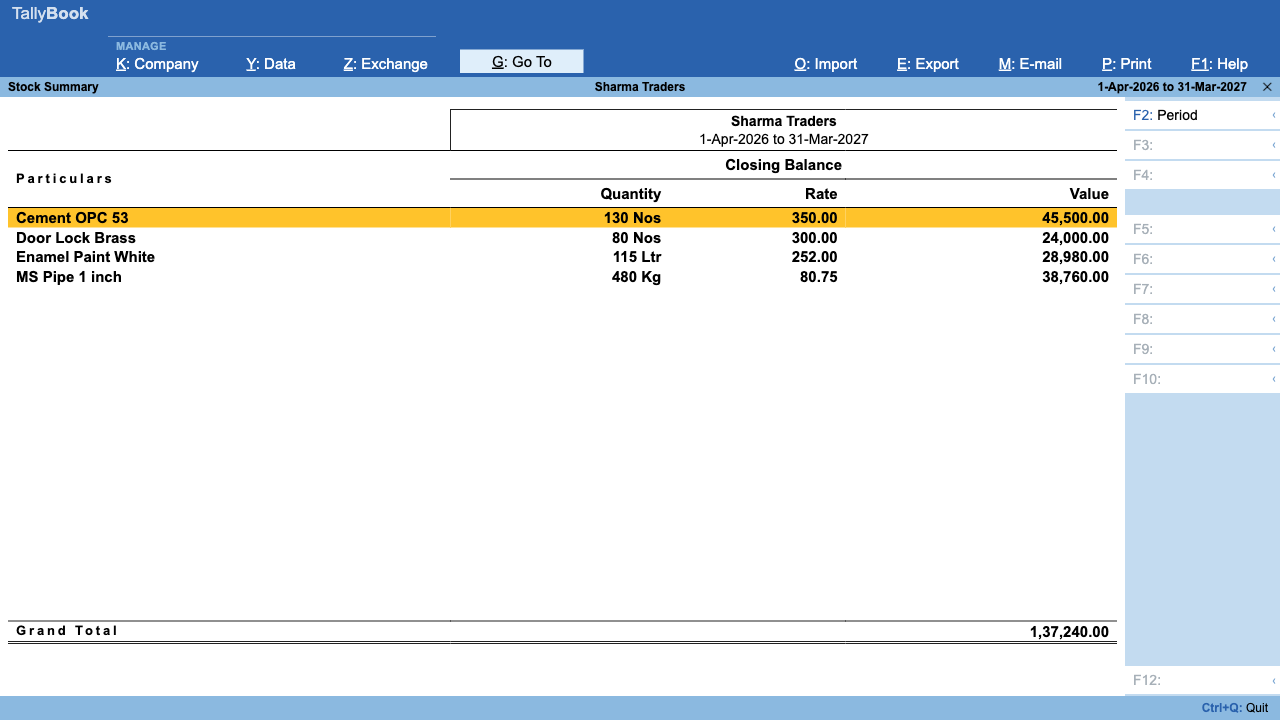
Values appear in the Stock Summary (Gateway → S) and flow into closing stock in Profit & Loss and the Balance Sheet. TallyBook works the value out from the item's movements each time, so if you change an item's method later, its past figures are restated too. Decide before you close a year.
Frequently asked questions
What is the default costing method in TallyBook?
Avg Cost, a running weighted average worked out at each sale.
Can different items use different methods?
Yes. The method is set on each stock item.
Is LIFO allowed in India?
Indian accounting standards on inventory allow FIFO or weighted average for financial statements, not LIFO. Use LIFO only for internal analysis and confirm with your CA.
What happens if I change the method mid-year?
TallyBook recalculates that item's values from its movements, so earlier periods change as well. Agree the method before finalising accounts.
Related: Item GST invoices · Choosing accounting software
TallyBook is an independent product made by Techardent Labs and is not affiliated with, endorsed by or connected to Tally Solutions Pvt. Ltd. TallyPrime and Tally are trademarks of their owner. Tax rules change often; confirm current rates, limits and due dates on the official portals or with your Chartered Accountant.