Free accounting software for small businesses in India: what to look for
"Free" covers very different things: a trial that locks you out after 30 days, a free tier with an invoice limit, an app that is free because it sells your data, or software that is simply free to use. For a small business, the right choice depends less on the price tag and more on whether your books will be correct, safe and yours. Here is a checklist you can use for any product, including ours.
1. GST that matches how you actually file
You need GST invoices with correct CGST, SGST or IGST, HSN/SAC codes, and reports that line up with GSTR-1 and GSTR-3B. Ask: does it reconcile purchases with GSTR-2B? Can it export GSTR-1 in the portal's format? Does it handle credit notes, unregistered customers and reverse charge on purchases?
TallyBook today: GST invoices (accounting and item-wise), GSTR-1 with JSON export, GSTR-3B, GSTR-2B reconciliation, HSN summary, and e-invoice and e-way bill JSON. You upload and file on the portal yourself. See Preparing GSTR-1 and GSTR-3B.
2. Where your data lives
Online software keeps your books on the vendor's servers; desktop software keeps them on your machine. Neither is wrong, but know which you are choosing, and check that you can get all your data out in a standard format if you leave.
TallyBook today: data stays on your computer; nothing is uploaded. Export to Tally-style XML and CSV is built in.
3. Speed of entry
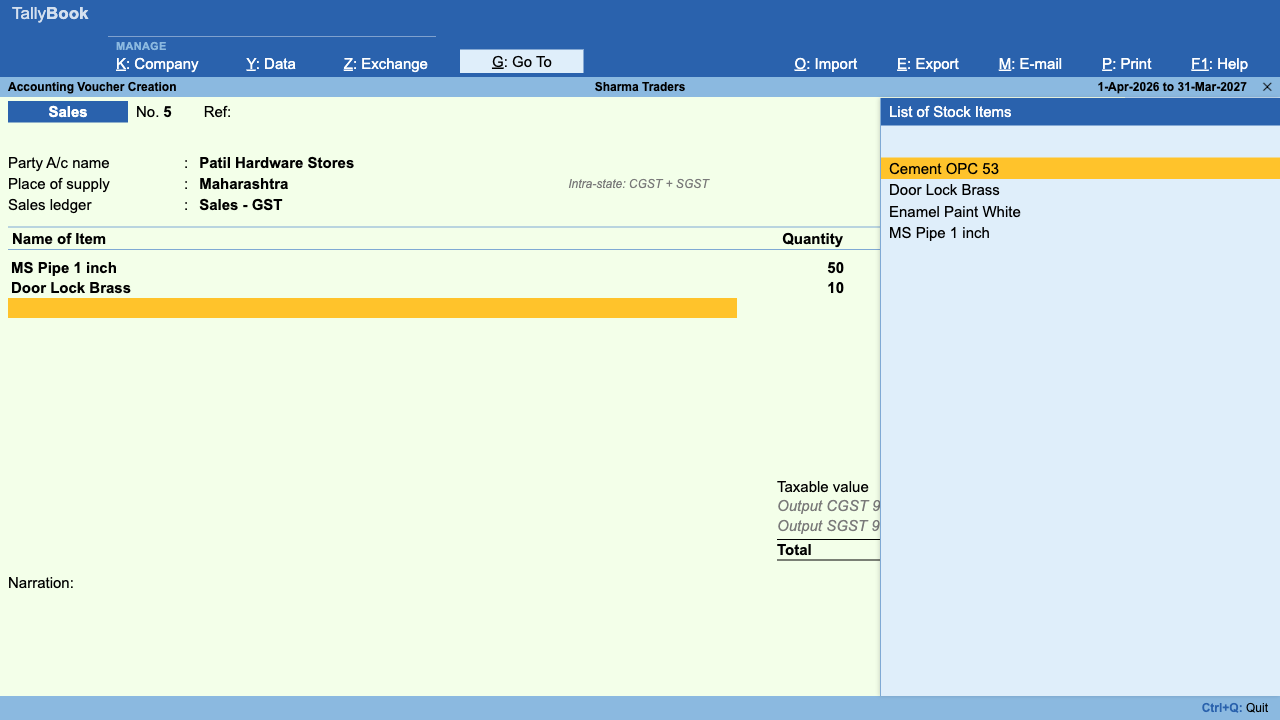
If you post hundreds of vouchers a month, the keyboard matters more than the look. Test it: can you enter a payment, a sales invoice and a journal without touching the mouse?
TallyBook today: keyboard-first, with Tally-style keys. See the shortcut cheat sheet.
4. Backups you will actually take
If backing up is fiddly, it will not happen. Look for a one-step backup to a file you can copy anywhere, a restore you have tested, and an audit trail of changes.
TallyBook today: Alt+Y → Backup and Restore, and an Edit Log. No automatic scheduled backup yet.
5. Getting your old data in
Re-typing opening balances and masters is where switching fails. Check for import from your current software and from Excel, with a preview before anything is written.
TallyBook today: imports Tally XML (masters and vouchers) and Excel/CSV, with a preview and no duplicates on re-import.
6. Honest limits
Every product has gaps. A good vendor writes them down. Ask about multi-user use, platform support, statutory return files and support.
Quick comparison checklist
| Question | TallyBook |
|---|---|
| Cost | Free, no licence or yearly renewal |
| Platforms | Windows 10/11, macOS 11+, Linux (64-bit) |
| Inventory and manufacturing | Stock items, godowns, batches, price levels, five costing methods, stock vouchers and reports; bill of materials and Manufacturing Journal (no job work yet) |
| More than one company | Yes, each with its own data file and TallyVault encryption; one open at a time |
| Payroll, TDS, banking | Yes, with limits: salary TDS and gratuity are calculated, but there are no PF ECR or e-TDS files and no connected banking |
| Several users at the same time | No, single user |
| Online filing from the app | No; JSON files for upload |
| Signed installers | Not yet; you will see a security prompt on first install |
Who TallyBook suits, and who should wait
It suits a shop, trader, freelancer or small firm where one person keeps the books on one computer, Mac and Linux users who want Tally-style accounting without Windows, and students practising at home. Wait, or choose something else, if several staff must enter in the same company at once, if you need job work or several companies open at once, or if your CA requires a specific product's data. For a direct comparison, read TallyPrime vs TallyBook.
Frequently asked questions
Is TallyBook really free?
Yes. There is no licence fee, no yearly renewal and no feature locked behind payment.
Does free accounting software handle GST properly?
Some do and some only make invoices. Check for GSTR-1, GSTR-3B and GSTR-2B support. TallyBook prepares all three; you file on the GST portal.
Can my accountant work with TallyBook data?
You can share backups, CSV exports of any report, and Tally-style XML exports. Ask your CA which they prefer.
Is offline software safe?
Your data is as safe as your computer and your backups. Take regular backups, keep one copy off-site and turn on disk encryption.
TallyBook is an independent product made by Techardent Labs and is not affiliated with, endorsed by or connected to Tally Solutions Pvt. Ltd. TallyPrime and Tally are trademarks of their owner. Tax rules change often; confirm current rates, limits and due dates on the official portals or with your Chartered Accountant.